⚡ Live availability, right now

Know Before You Drive There.

See which chargers are actually free before you drive to one. No more pulling up to a full station and wondering what happened.

Get The App
Live Availability◆ Smart Filtering◆ Real Notifications◆ Reviews◆ Favorites◆ Guest Mode◆ Free Forever◆

The app itself

A look at the actual screens, live availability, search, and reviews.

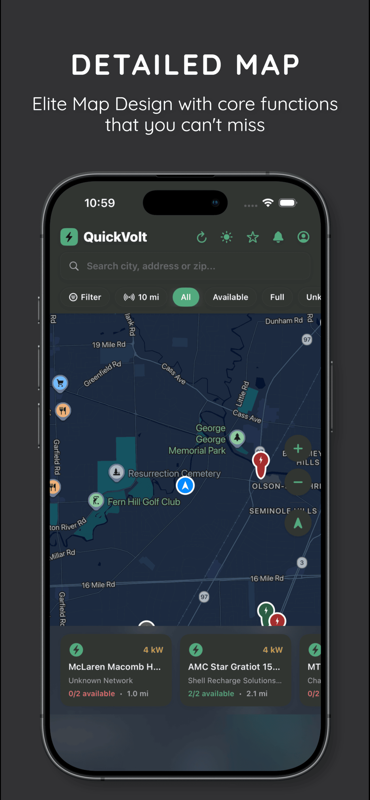
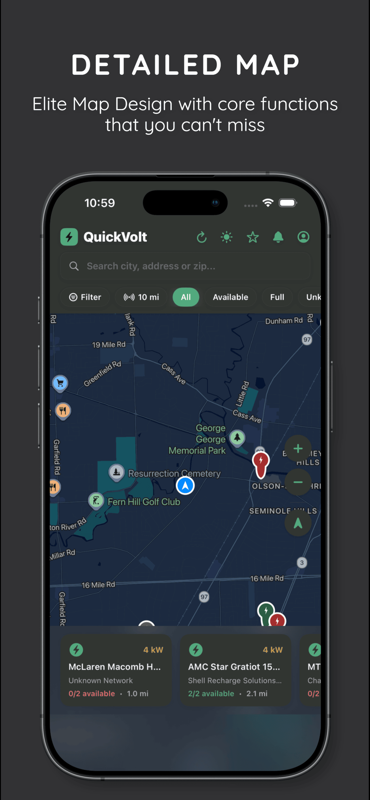
QuickVolt map view
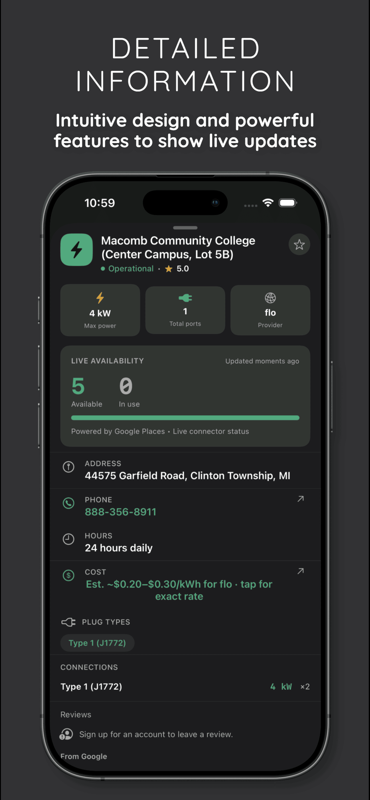
QuickVolt charger detail
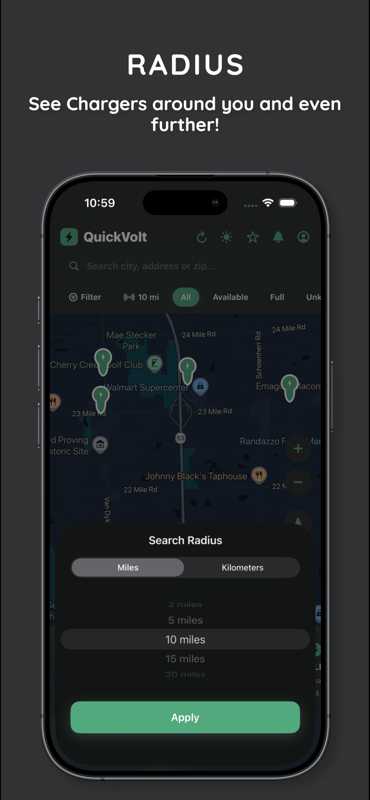
QuickVolt search radius
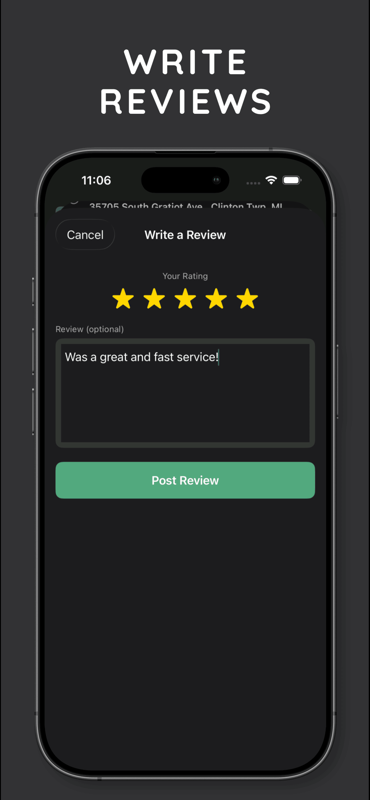
QuickVolt write a review
QuickVolt map view

Everything it actually does

01

Live Availability

Real-time port status pulled from Google's charger network, not a stale listing.

02

Built For Your Car

Filter to only the connectors your EV can actually use.

03

Favorites

Save the stations you use often.

04

Reviews

Read and leave reviews for individual stations.

05

Guest Mode

Browse and search with no account required.

06

Real Notifications

Queue a full station and get a push notification the moment a port opens up, even with the app closed.

01

Most Charger Apps Only Show Their Own Stations

Apps built by a single network only show their own chargers. QuickVolt pulls live status from Google's charger network instead, so whatever's actually near you shows up, regardless of who operates it.

02

Or They Don't Know What Your Car Needs

Pick your EV model once. QuickVolt only shows chargers with a connector that actually fits, so you're not finding out it's the wrong plug after you've already driven there.

03

So We Built One That Actually Tells You

Queue a full station and QuickVolt checks it in the background. The moment a port opens up, you get a real push notification.

How It Works

1

Search Nearby

Find chargers around you, filtered to your connector type and charging speed.

2

Check Live Status

See exactly how many ports are free right now before you commit to the drive.

3

Queue If It's Full

Add a full station to your notify queue instead of circling back to check it yourself.

4

Get Notified

A real push notification the moment a port opens up, even with the app closed.

Built With

SwiftUI Firebase Google Maps Google Places API Cloud Functions Firestore Cloud Messaging

About QuickVolt

The idea came from a road trip to visit my grandmother two summers ago. I pulled into a charging station that showed up as open on the map I was using, only to find all four ports either occupied or broken, with no way to have known that before driving fifteen minutes out of my way. I sat in that parking lot for almost an hour waiting for a spot to open up, watching other drivers pull in and turn right back around. That was the moment I decided to build something that actually tells you the truth before you get there.

It's a solo project. I built the map, the live availability system, and the notification backend that watches queued chargers myself, under the name Hashir Butt.

It's free, and you don't need an account to search or browse. Sign up only if you want to save favorites or leave a review.

Contact

Questions, feedback, or found a bug? Reach out directly.

hashiributt@gmail.com

Help Center

View Policy

Common Questions

QuickVolt pulls real-time charger status from Google's aggregated station network, so you can see which chargers are currently open, full, or unavailable.

No. You can browse and search as a guest. Creating an account lets you save favorites, leave reviews, and get notified when a queued charger frees up.

Open the app, go to your Account tab, and tap "Delete Account." This permanently removes your account and associated data.

Queue a full station from its detail page, and you'll get a push notification the moment a port opens up, even if the app is closed.

Your location is used only to show nearby chargers and is not sold to third parties.

Ready to stop
guessing?

Free to download. No account required to start.

Get The App